I think one of the biggest problems for me is going to be quickly adapting to 'Muse' having never used it before. I will have to be very quick at learning everything I have to know. Luckily, I looked at the very descriptive video and I will also have Steve, one of my lecturers, that should be able to guide me in places that I might be struggling in.
Another problem I might run into is due dates as anything could go wrong during production. Obviously, my goal is to make sure nothing like that happens but lets say I get finished taking all of my photos and I realise that it might not be very well focused, or the video that I shot had a bad angle, then this could really effect the outcome of my website and the content within it. When recording my video and taking the photos, I will make sure that I set myself a shot list, have down numerous photo angles that I may want and make sure on the day that everything looks fine and professional.
I could also run into a problem where my computer turns off and I lose some work due to this - I will make sure that I save my work regularly but I will also set myself a detailed timetable that allows me to have some time after I should have created my product, to tweak things or catch up on lost time. The forum might not work as intended due to the software that I am using. I am not sure, but if I do encounter this problem, I will have to make a way around it and maybe make a few extra pages to show the audience what I would have wanted to happen. This goes for anything that might not become producible for my website.
Animation is a big one. It is probably the area that I believe will take the most time, due to me not having really any previous knowledge on animation and the high standards that it has to be to not look odd or out of place. I will most likely give myself a lot of time to create my animation and I will have to make sure that I use the people around me to guide me at parts that I may struggle with.
Thursday, 6 April 2017

How useful was my research?
I found my research to be very useful, it gave me great insight into the sort of audience I am aiming for and it also gave me some great ideas on how I am going to set up my inter website.
What I learned from my research and what could I have done better?
Throughout my research I was constantly coming up with new ideas that I could do to make my website more interesting.
 One major idea was the review system. Initially, I had no plans to put this on my website but after looking at competitor sites and seeing their missed opportunities, I realised that it would be a great idea to add it to my site. Including videos was another big feature. I mainly got this idea from looking at the websites that I looked at in Unit 12. Once again, I came up with this while doing my research, I am so glad I came up with the idea because it allows me to increase my skills in filming. I also came up with the R&U system, this wasn't included on the websites that I looked at however while I was submitting my survey to Reddit, I looked at the voting system and this struck inspiration.
This and the many other ideas that I had come up with could not have been realised unless I did the amount of valuable research that I did. I feel like I have benefited massively from my research and this just shows how important it is to carry out a lot of research even if you believe that it might not be all that useful.
I think one area that could've been better is my interview, I felt like there was not much content in this area. the answers that I got were helpful but I would've liked to get a little more detail and maybe some other options.
Conclusion
All the research I have done into my audience has helped me out massively. At the start of the project, I believed that the main type of people the website will appeal to will be students who are maybe at university or just moving into their new home. People like this usually have very little knowledge about making things and may find reading instructions challenging or too time consuming.
However, from my research, I have found out that I should be aiming my website towards older adults, 20-40 because making your own furniture provided by companies is meant to be easy to understand and people from the younger generation usually do not struggle with this. People who are ages 20-40 struggle more, this may be because they buy more complex products from around the world than teens and university students would.
I also found out that I should be aiming my website more towards females because from the information that I had got from my survey, I found that females almost always run into a few problems while men,not so many. People who buy these sorts of products also usually have little to no skills in building things and people who do, usually just make the things they want without needing help or guidance. This once again, further backs up why I should make my website easy to understand. Places like ‘Ikea’ sell items that are quite low budget so I will be appealing to the middle-class/ slightly lower class region.
What I learned from my research and what could I have done better?
Throughout my research I was constantly coming up with new ideas that I could do to make my website more interesting.
 One major idea was the review system. Initially, I had no plans to put this on my website but after looking at competitor sites and seeing their missed opportunities, I realised that it would be a great idea to add it to my site. Including videos was another big feature. I mainly got this idea from looking at the websites that I looked at in Unit 12. Once again, I came up with this while doing my research, I am so glad I came up with the idea because it allows me to increase my skills in filming. I also came up with the R&U system, this wasn't included on the websites that I looked at however while I was submitting my survey to Reddit, I looked at the voting system and this struck inspiration.
This and the many other ideas that I had come up with could not have been realised unless I did the amount of valuable research that I did. I feel like I have benefited massively from my research and this just shows how important it is to carry out a lot of research even if you believe that it might not be all that useful.
I think one area that could've been better is my interview, I felt like there was not much content in this area. the answers that I got were helpful but I would've liked to get a little more detail and maybe some other options.
Conclusion
All the research I have done into my audience has helped me out massively. At the start of the project, I believed that the main type of people the website will appeal to will be students who are maybe at university or just moving into their new home. People like this usually have very little knowledge about making things and may find reading instructions challenging or too time consuming.
However, from my research, I have found out that I should be aiming my website towards older adults, 20-40 because making your own furniture provided by companies is meant to be easy to understand and people from the younger generation usually do not struggle with this. People who are ages 20-40 struggle more, this may be because they buy more complex products from around the world than teens and university students would.
I also found out that I should be aiming my website more towards females because from the information that I had got from my survey, I found that females almost always run into a few problems while men,not so many. People who buy these sorts of products also usually have little to no skills in building things and people who do, usually just make the things they want without needing help or guidance. This once again, further backs up why I should make my website easy to understand. Places like ‘Ikea’ sell items that are quite low budget so I will be appealing to the middle-class/ slightly lower class region.
Friday, 31 March 2017
Types of Research
When it comes to research, it is always very important to make sure that you get information from a wide variety of places. This could be by finding information from the web, that was written by a website developer or by reading a few books and finding some information that another website developer has written. Using two different sources means that it can back up your point even more and could mean that you could see how data has changed from the different times the sources were written.
Using the web means that you can find a wide variety of information in a quick amount of time, however a lot of information can be unreliable so you have to be sure that the information you are using is correct. Books provide you with a lot of information on the chosen topic of the book so if you are looking for quite a lot of information on a topic, whole books are very useful.
Interviewing people can also be a very, very good way of finding information. Interviewing the right people can mean that you can find out high quality information, that can go into as much detail as you like. You can also find out as much information as the person knows or anything you would like to know. This is great because sometimes you just can't find what you are looking for on websites or in books. This is all well and good however, the information that you get from interviews might be bias and if you are not looking for bias information then you might want to avoid those types of questions.
Questionnaires are also great and if done well, they can result in you finding out a lot from a wide variety of people. This can be great for further backing up points or finding out things that you did not know before. You can ask questions in questionnaires so that you can find out the age and gender of your audience, this can be great for finding out what specific ages prefer and whether a particular gender finds one thing more difficult than the other.
All of these types of conducting research are all very effective in their own special ways and all provide me with a benefit. The more you do of each, the stronger your research is going to be, resulting in you having a stronger idea on what you are researching about. Harvard referencing is one of the best ways to reference your work, it shows the place where you have obtained the information from, who wrote it, when it was written and when you researched the information. All of this information can be beneficial to someone that may be looking at your research and wants to find out whether everything is right and not just made up and unreliable.
Using the web means that you can find a wide variety of information in a quick amount of time, however a lot of information can be unreliable so you have to be sure that the information you are using is correct. Books provide you with a lot of information on the chosen topic of the book so if you are looking for quite a lot of information on a topic, whole books are very useful.
Interviewing people can also be a very, very good way of finding information. Interviewing the right people can mean that you can find out high quality information, that can go into as much detail as you like. You can also find out as much information as the person knows or anything you would like to know. This is great because sometimes you just can't find what you are looking for on websites or in books. This is all well and good however, the information that you get from interviews might be bias and if you are not looking for bias information then you might want to avoid those types of questions.
Questionnaires are also great and if done well, they can result in you finding out a lot from a wide variety of people. This can be great for further backing up points or finding out things that you did not know before. You can ask questions in questionnaires so that you can find out the age and gender of your audience, this can be great for finding out what specific ages prefer and whether a particular gender finds one thing more difficult than the other.
All of these types of conducting research are all very effective in their own special ways and all provide me with a benefit. The more you do of each, the stronger your research is going to be, resulting in you having a stronger idea on what you are researching about. Harvard referencing is one of the best ways to reference your work, it shows the place where you have obtained the information from, who wrote it, when it was written and when you researched the information. All of this information can be beneficial to someone that may be looking at your research and wants to find out whether everything is right and not just made up and unreliable.
Thursday, 30 March 2017
Planning my website
Software
When it comes to actually creating my website I think I am going to use the program 'Muse' by adobe. It seems like a nice little bit of software that is easy to pick up as it does all of the coding for you. I am someone that has never really learned how to code before so this is the perfect software for me. It uses key features from other adobe software so that this means that I can incorporate designs from places like Indesign, Photoshop and Illustrator. I can also put the website up on the web to see if everything works well and I might be able to use it in the future. My FMP that I did last year was all based in Photoshop and this limited me very much. So, being able to use this new software makes me very excited to start designing my site.
How I want my website to look 1

One of the many priorities that needs to be considered when it comes to designing the website, is how easy it is to navigate. People should know where they want to go and should be able to get there with ease.
My first design was the image you can see to the right. At this point I had not really discovered what I would call my website and I also didn't really know what colours I wanted to include. However, I really liked this design as it looks great and very slick.
I like the Idea of having a massive image for my front page. My idea was to have a large image on the front page that shows the latest products that have been put on the site. This gives people an idea of the types of furniture we feature as well. If people visit frequently and they see that there is a new image every time they visit, they will know that the website is constantly growing and getting better.
I like that the header is under the main image, I got this idea from the website; Ifixit I think that it works well with my site however, I don't want my site to look too similar to Ifixit, I want it to look unique. Plus, everything is the middle of the page, which looks all over the place and I don't think people will like this at all.
How I want my website to look 2
 The second image was my second attempt at the design of the website. You can see here that I have discovered colour scheme and made a logo for the site. I tried to stick to the colour scheme throughout the site on this image. At the time I thought that it was a great colour scheme however, looking at it now, I do not like it at all - it does not really fit very well with the theme of the site.
In this version of the site, I made it more modern and included a hamburger menu. I think this is a great way to put the menu away from everything else. Most people from my age range from 20-40 will be very familiar with a hamburger menu and will know its purpose of the bar. After looking at this and experimenting on muse with this way of setting the menu, I realised that I did not like it anymore. Once again, not really fitting with the theme of the site.
I also copied my past wireframe, where I kept the large front image, I really like this design and I will definitely keep this for my final website. I do not however, like the new search bar - I think having the search bar more of a box and having the word 'search' instead of a magnifying glass and a curvy search box, looks more childish. I do not want my website to come off as childish at all and if this is the first thing people will see when visiting the site, it might give off the wrong impression and they may decide to go somewhere else instead.
This time around I think the middle part of the site, where the content is, looks ten times better. Having the slogan for the site straight after the main image will give the user a good idea of what the site is about, without having to search a great amount. I think having a lot of images on the front page is key, it will make things look a whole lot better.
Plan the pages I am going to include
I will most likely have a fair amount of pages for my site:
My front page will be the page that people visit first and a page that people can refer back to. I will probably base the colours of the site off of the logo that I make. This will ensure that the logo does not look out of place. The logo has to be identifiable and hopefully if the colours are the same for the logo and the site, then when people see the logo, they will be reminded of the website.
There will be the forum page that will show all of the posts made by the community. This will be on the bar at the top and will be clearly shown. I will show off the rating system that will be put in place.
Product page I will most likely have 3 pages, a video and 2 animations for 3 different products. I might also have another page just to show another product that has yet to have any content made for it. This will just feature text and a picture of the product. All pages will show a rating system for each product and a few comments from people saying how they got past the obstacles of making the product.
I will create another pageand this will be the log in page for either making an account with the site or just logging in with an existing account. This page will show the benefits of making an account and will also tell the audience that there is place in the future to make this a pay monthly feature.
An 'about us' page will also be made for the site, explaining what we do and the purpose of the site. Contact information will be on there including telephone and social media. These will be shown on other pages but I believe that having everything social about the website on one page with the ease of going back to, is important.
Another page will be made and this page will tell the audience what the forum is and how everything works. This will come up when you first visit the forum but there will be a section on the forum page so people can refer back, just in case if they need any more information on how everything works.
Colour Scheme
The colour scheme and branding for my website is very important and needs to be decided before I start doing any of my production work. This is because knowing what my brand is and the colours that I will feature around the site, will mean that it will look appealing and interesting. If you start making your site without any of these in mind, everything will look all over the place and it will not make for a nice looking site. When making your own website, you have to make your own unique guidelines and this makes it so that no one else can use your colour scheme and logo unless they're given the rights to do so.
So far, I have been testing out colour schemes to see what sort of colour scheme would fit with my website. The image you can see to the top right was a little mock up of the front page that I have done for the desktop version of the site. However, I don't really think that the colour scheme, that I had chosen at the time of taking that screen shot, was particularly inviting and nice to look at. I also believe that it does not really fit well with what the website is trying to offer. This was one of the first colour schemes that I came up with and I am glad I got to test it out to see whether it worked well with the site or not, otherwise I would have ended up with quite a bland, boring looking site.
After going through a wide range of colour schemes I decided that I would go with a few colours that fit together nicely and are colours that fit with the 'home' type of feel that I want to go for, for my site. The 4 colours that I have chosen for my site include:
A creamy colour #D7CEC7
A light grey colour #565656
A light maroon colour #76323F
A skin type colour #C09F80
I believe that all of these colours look very nice together and really do give quite a 'home' type feeling to the site.
Logo
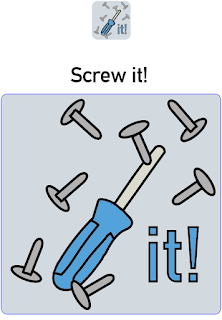
The image you can see below is my logo that I made for my site in the early beginning stages. At the time, I thought that it was a clever idea calling the site, 'Screw it!' - it was basically meant to represent how people get angry at building furniture and how they would come to the site. However, over time I decided to look around on the internet to find out what people thought about the saying, 'Screw it'. Overall, I found out that the word was thought of as a negative/bad word by some. I did not want to risk making the name of the site sound bad or negative to anyone so I just decided to change the name of the site to ScrewGuider. It plays with the word screwdriver, at the same time giving the audience a hint about the sort of thing the website does.
I like the logo that I have made and I have not really changed it a whole lot from the one you can see below. I might get rid of the background to the logo or get rid of a few screws, just to make it a bit more simple as this is one of the main ideas that I had got from my research and I still believe a simple logo is key!
I have to make sure that I do not breach any copyright laws. This primarily means that I have to make sure that the photos I am using are legally okay and that I reach out to people when needed so that I can use the photos that they have taken. I will also be taking my own photos and doing this will mean that I will not run into any problems in copyright cases.
Bibliography:
Ifixit (2017) Ifixit. Available at: https://www.ifixit.com/ (Accessed: 29 March 2017).
When it comes to actually creating my website I think I am going to use the program 'Muse' by adobe. It seems like a nice little bit of software that is easy to pick up as it does all of the coding for you. I am someone that has never really learned how to code before so this is the perfect software for me. It uses key features from other adobe software so that this means that I can incorporate designs from places like Indesign, Photoshop and Illustrator. I can also put the website up on the web to see if everything works well and I might be able to use it in the future. My FMP that I did last year was all based in Photoshop and this limited me very much. So, being able to use this new software makes me very excited to start designing my site.
How I want my website to look 1

My first design was the image you can see to the right. At this point I had not really discovered what I would call my website and I also didn't really know what colours I wanted to include. However, I really liked this design as it looks great and very slick.
I like the Idea of having a massive image for my front page. My idea was to have a large image on the front page that shows the latest products that have been put on the site. This gives people an idea of the types of furniture we feature as well. If people visit frequently and they see that there is a new image every time they visit, they will know that the website is constantly growing and getting better.
I like that the header is under the main image, I got this idea from the website; Ifixit I think that it works well with my site however, I don't want my site to look too similar to Ifixit, I want it to look unique. Plus, everything is the middle of the page, which looks all over the place and I don't think people will like this at all.
How I want my website to look 2

In this version of the site, I made it more modern and included a hamburger menu. I think this is a great way to put the menu away from everything else. Most people from my age range from 20-40 will be very familiar with a hamburger menu and will know its purpose of the bar. After looking at this and experimenting on muse with this way of setting the menu, I realised that I did not like it anymore. Once again, not really fitting with the theme of the site.
I also copied my past wireframe, where I kept the large front image, I really like this design and I will definitely keep this for my final website. I do not however, like the new search bar - I think having the search bar more of a box and having the word 'search' instead of a magnifying glass and a curvy search box, looks more childish. I do not want my website to come off as childish at all and if this is the first thing people will see when visiting the site, it might give off the wrong impression and they may decide to go somewhere else instead.
This time around I think the middle part of the site, where the content is, looks ten times better. Having the slogan for the site straight after the main image will give the user a good idea of what the site is about, without having to search a great amount. I think having a lot of images on the front page is key, it will make things look a whole lot better.
Plan the pages I am going to include
I will most likely have a fair amount of pages for my site:
My front page will be the page that people visit first and a page that people can refer back to. I will probably base the colours of the site off of the logo that I make. This will ensure that the logo does not look out of place. The logo has to be identifiable and hopefully if the colours are the same for the logo and the site, then when people see the logo, they will be reminded of the website.
There will be the forum page that will show all of the posts made by the community. This will be on the bar at the top and will be clearly shown. I will show off the rating system that will be put in place.
Product page I will most likely have 3 pages, a video and 2 animations for 3 different products. I might also have another page just to show another product that has yet to have any content made for it. This will just feature text and a picture of the product. All pages will show a rating system for each product and a few comments from people saying how they got past the obstacles of making the product.
I will create another pageand this will be the log in page for either making an account with the site or just logging in with an existing account. This page will show the benefits of making an account and will also tell the audience that there is place in the future to make this a pay monthly feature.
An 'about us' page will also be made for the site, explaining what we do and the purpose of the site. Contact information will be on there including telephone and social media. These will be shown on other pages but I believe that having everything social about the website on one page with the ease of going back to, is important.
Another page will be made and this page will tell the audience what the forum is and how everything works. This will come up when you first visit the forum but there will be a section on the forum page so people can refer back, just in case if they need any more information on how everything works.
Colour Scheme
The colour scheme and branding for my website is very important and needs to be decided before I start doing any of my production work. This is because knowing what my brand is and the colours that I will feature around the site, will mean that it will look appealing and interesting. If you start making your site without any of these in mind, everything will look all over the place and it will not make for a nice looking site. When making your own website, you have to make your own unique guidelines and this makes it so that no one else can use your colour scheme and logo unless they're given the rights to do so.
So far, I have been testing out colour schemes to see what sort of colour scheme would fit with my website. The image you can see to the top right was a little mock up of the front page that I have done for the desktop version of the site. However, I don't really think that the colour scheme, that I had chosen at the time of taking that screen shot, was particularly inviting and nice to look at. I also believe that it does not really fit well with what the website is trying to offer. This was one of the first colour schemes that I came up with and I am glad I got to test it out to see whether it worked well with the site or not, otherwise I would have ended up with quite a bland, boring looking site.
After going through a wide range of colour schemes I decided that I would go with a few colours that fit together nicely and are colours that fit with the 'home' type of feel that I want to go for, for my site. The 4 colours that I have chosen for my site include:
A creamy colour #D7CEC7
A light grey colour #565656
A light maroon colour #76323F
A skin type colour #C09F80
I believe that all of these colours look very nice together and really do give quite a 'home' type feeling to the site.
Logo
The image you can see below is my logo that I made for my site in the early beginning stages. At the time, I thought that it was a clever idea calling the site, 'Screw it!' - it was basically meant to represent how people get angry at building furniture and how they would come to the site. However, over time I decided to look around on the internet to find out what people thought about the saying, 'Screw it'. Overall, I found out that the word was thought of as a negative/bad word by some. I did not want to risk making the name of the site sound bad or negative to anyone so I just decided to change the name of the site to ScrewGuider. It plays with the word screwdriver, at the same time giving the audience a hint about the sort of thing the website does.
I like the logo that I have made and I have not really changed it a whole lot from the one you can see below. I might get rid of the background to the logo or get rid of a few screws, just to make it a bit more simple as this is one of the main ideas that I had got from my research and I still believe a simple logo is key!

I have to make sure that I do not breach any copyright laws. This primarily means that I have to make sure that the photos I am using are legally okay and that I reach out to people when needed so that I can use the photos that they have taken. I will also be taking my own photos and doing this will mean that I will not run into any problems in copyright cases.
Bibliography:
Ifixit (2017) Ifixit. Available at: https://www.ifixit.com/ (Accessed: 29 March 2017).
Research in Web design
Website I have looked at
'Do it yourself', is a website that shows people how to fix and improve things around their home with simple guides. Most of the instructions provided by the website are word based and do not feature images or video alongside. If I had to use this website to improve or fix something around my home, I think I would be a bit more skeptical on whether I should do the job; having the images, allows me to easily copy what is in the picture and would make me feel a bit more secure about doing it myself. I think this is what a lot of others think when visiting the site and this further backs up the reason why I should include animations and video on my site. However, this website is still rather successful so it must not be a problem to a lot of people. This is a good thing because this means that instructions on the website that has not got videos or animations can still have significant uses for people.

The website looks rather boring at first glance, quite bland and there is not really anything that stands out on the front page. The front page looks more like a sub page than anything else. I think there are a lot of things that could be improved here and if I was a first time visitor, I would most likely leave the site. A strong home page is very important to a good website because it's the page that the audience sees first and can be a deal breaker (like I said in the last sentence). Good navigation is also key and I think this works well on this site - the search bar works as intended so does the drop down. The site also shows what topics you have clicked on to get to your current page; it is quite easy to refer back by looking here.
 Looking at a website, 'Ifixit' that is a website about finding parts for electronic devices and which includes a board where people can help each other with problems by simply asking questions. This may not be exactly what I am doing but it is very similar. I managed to gather a lot of helpful information - I found out that it is key to organise your website so that it is easy to navigate and easy to understand. Some 30-40-year-olds will benefit a lot from a website that is easy to use. This is because people that age usually have a good understanding of the internet but not the best. If the site is easy to navigate they shouldn't find themselves getting lost or confused with what they are looking at. Big buttons and a simple but stylish design works very well for this. A big search bar that works very well is also key, due to how important it should be to quickly find and have access to the information you need. Images are shown to be big and clear on the website and this is something that I will have to make sure I replicate when producing the animation and the pictures for the products. Clearly stating the product name and the model number (furniture equivalent)/ version (year produced), needs to be used on my website to ensure ease of use and to prevent potential confusion.
I really like the look of this site, the home page especially. If I was visiting this site for the first time I would definitely stick around. I think this is because it looks very professional, is neatly laid out and their search bar is presented right in the centre of the cover image (plus, it is always at the top of the page when on any other page of the site). It is clearly a function of the site that they want you to use. They are not wrong here as it works incredibly well, showing the product you were looking for, followed with an image for reference. Whether you are looking for the reviews, the parts or how to repair your device, they are all sectioned off into different parts so it is easy to find the section you are looking for.
Logos
Designing a logo is not an easy job, it is something that has to have a lot of thought and planning put into it so that it works well. Knowing that my logo will be almost everywhere on the site, I will have to make sure that it stands out and is memorable.
I had a look at a lot of logos to see what they all have in common, to try and incorporate this into my design. I also looked at a few articles to see what they had to say about good logo design.
 Looking at some logos from similar type companies, for example 'B&Q' or 'The Range' I found that they like to keep their logos very simple and straight forward. This makes sense, I think companies like these want to make the impression that they provide a simple service, with nothing hidden. They also include type in their logo and not a whole lot of pictures - this may be because again, they want to keep it simple. Furthermore, they also have a very big following and many people instantly know what you are referring to, when you use their names like 'FedEx' and 'Coca Cola'. I don't really think this will work for my company due to how specific and slightly complex my product and service, I am providing, is. I may have to make the name of my website something that relates to building things so people can kind of guess what my website might be about. I may also want to use an image in my logo to go alongside this.
I looked at an article, "5 Must-Haves for a Successful Logo" (Entrepreneur Media Inc) from this site I found out that a logo has to be simple to show, "That newfound simplicity makes the logo easy to look at, which customers appreciate. “The easier it is to process things, the more we like those things,” Berger says. For that reason, most brands want to present a simple aesthetic, that's easy for consumers to digest." I agree with this one hundred percent, people like seeing simple logos, they are everywhere at the moment, they are easy to identify and they are the 'in thing' right now. I will definitely make sure my logo looks as simple as possible. Another great point made on the article is, 'Brand Consistency' basically meaning that your logo has to mean something and relate to what you are giving people. If the logo has nothing to do with what your company is about, people will get confused and may get the wrong message. Making it sound like your company is something that it is not, is also a strong way to turn people away and this is not what I want at all.
Software
 I decided to ask my lecturer Software that I am going to use for my site, (Steve Spicer, 2017) what the best approach would be when it comes to the making of the site. He told me about the software, 'Muse' it looked very interesting and did not require me to learn any coding. I thought that this would be a great piece of software to use so I decided to look at a YouTube video to find out more about the software and see how easy it would be to make my site. I also wanted to find out how limiting the software is and see if I can do everything that I want to achieve for my site.
Other Resources
"How To Get Started With Adobe Muse CC - 10 Things Beginners Want To Know How To Do" (Terry White, 2014) Even though this video is a few years old, I think that it will still have some great tips for me to find out. This video was very long but was packed full with information. Before looking at this video, I had no idea how easy it was to make your own site. One very important tip that I found out from this video, was how pages work, if I was just going into making my site blind I would have probably put my header or footer of the site in the wrong places, making the site look odd and out of place. Knowing that 'Muse' does not have a lot of limitations and "wants you to be creative" is great. For example, 'Muse' provides you with your own menu type system that works with the site, you do not have to construct your own. However, it is very bland, this is so that it pushes you to design your own menu and make your website your own.
Knowing that 'Muse' incorporates YouTube videos and Gifs onto your site is great, this makes me happy knowing that I will be able to put on the video content that I have had planned from the start for the site. Muse also allows me to make my own phone and tablet versions of my site, I would really like to have a crack at this because I believe that most of my audience will be using a tablet or phone at the times that they need the site most. If they do not have access to an easy to use phone or tablet version of the site, then they may decided to look in other places for the content they need. If I have enough time I will make other versions of the site for my audience.
Bibliography: Do it yourself (1995) Do it yourself, Available at: http://www.doityourself.com/ [Accessed: 25 March 2017]
Ifixit (2017) Ifixit, Available at: https://www.ifixit.com/ (Accessed: 25 March 2017).
Entrepreneur Media Inc, (2015) 5 Must-Haves for a Successful Logo, Available at:: https://www.entrepreneur.com/article/241956 (Accessed: 25 March 2017)
Range Logo source: (2016) The Range Logos. [Digital] Flickr. Available at: http://www.insightdiy.co.uk/logos.htm?retailer=15&category=3 (Accessed: 25 March 2017).
Steve Spicer (2017) Software that I am going to use for my site [Lecture to Digital Publishing Level 3]. Bath College 24 March.
Terry White (2014) [YouTube Video], Available at: https://www.youtube.com/watch?v=ESUPCpOZ5Dc [Accessed: 26 March 2017]
'Do it yourself', is a website that shows people how to fix and improve things around their home with simple guides. Most of the instructions provided by the website are word based and do not feature images or video alongside. If I had to use this website to improve or fix something around my home, I think I would be a bit more skeptical on whether I should do the job; having the images, allows me to easily copy what is in the picture and would make me feel a bit more secure about doing it myself. I think this is what a lot of others think when visiting the site and this further backs up the reason why I should include animations and video on my site. However, this website is still rather successful so it must not be a problem to a lot of people. This is a good thing because this means that instructions on the website that has not got videos or animations can still have significant uses for people.

The website looks rather boring at first glance, quite bland and there is not really anything that stands out on the front page. The front page looks more like a sub page than anything else. I think there are a lot of things that could be improved here and if I was a first time visitor, I would most likely leave the site. A strong home page is very important to a good website because it's the page that the audience sees first and can be a deal breaker (like I said in the last sentence). Good navigation is also key and I think this works well on this site - the search bar works as intended so does the drop down. The site also shows what topics you have clicked on to get to your current page; it is quite easy to refer back by looking here.

I really like the look of this site, the home page especially. If I was visiting this site for the first time I would definitely stick around. I think this is because it looks very professional, is neatly laid out and their search bar is presented right in the centre of the cover image (plus, it is always at the top of the page when on any other page of the site). It is clearly a function of the site that they want you to use. They are not wrong here as it works incredibly well, showing the product you were looking for, followed with an image for reference. Whether you are looking for the reviews, the parts or how to repair your device, they are all sectioned off into different parts so it is easy to find the section you are looking for.
Logos
Designing a logo is not an easy job, it is something that has to have a lot of thought and planning put into it so that it works well. Knowing that my logo will be almost everywhere on the site, I will have to make sure that it stands out and is memorable.
I had a look at a lot of logos to see what they all have in common, to try and incorporate this into my design. I also looked at a few articles to see what they had to say about good logo design.
 Looking at some logos from similar type companies, for example 'B&Q' or 'The Range' I found that they like to keep their logos very simple and straight forward. This makes sense, I think companies like these want to make the impression that they provide a simple service, with nothing hidden. They also include type in their logo and not a whole lot of pictures - this may be because again, they want to keep it simple. Furthermore, they also have a very big following and many people instantly know what you are referring to, when you use their names like 'FedEx' and 'Coca Cola'. I don't really think this will work for my company due to how specific and slightly complex my product and service, I am providing, is. I may have to make the name of my website something that relates to building things so people can kind of guess what my website might be about. I may also want to use an image in my logo to go alongside this.
I looked at an article, "5 Must-Haves for a Successful Logo" (Entrepreneur Media Inc) from this site I found out that a logo has to be simple to show, "That newfound simplicity makes the logo easy to look at, which customers appreciate. “The easier it is to process things, the more we like those things,” Berger says. For that reason, most brands want to present a simple aesthetic, that's easy for consumers to digest." I agree with this one hundred percent, people like seeing simple logos, they are everywhere at the moment, they are easy to identify and they are the 'in thing' right now. I will definitely make sure my logo looks as simple as possible. Another great point made on the article is, 'Brand Consistency' basically meaning that your logo has to mean something and relate to what you are giving people. If the logo has nothing to do with what your company is about, people will get confused and may get the wrong message. Making it sound like your company is something that it is not, is also a strong way to turn people away and this is not what I want at all.
Software
 I decided to ask my lecturer Software that I am going to use for my site, (Steve Spicer, 2017) what the best approach would be when it comes to the making of the site. He told me about the software, 'Muse' it looked very interesting and did not require me to learn any coding. I thought that this would be a great piece of software to use so I decided to look at a YouTube video to find out more about the software and see how easy it would be to make my site. I also wanted to find out how limiting the software is and see if I can do everything that I want to achieve for my site.
 Other Resources
"How To Get Started With Adobe Muse CC - 10 Things Beginners Want To Know How To Do" (Terry White, 2014) Even though this video is a few years old, I think that it will still have some great tips for me to find out. This video was very long but was packed full with information. Before looking at this video, I had no idea how easy it was to make your own site. One very important tip that I found out from this video, was how pages work, if I was just going into making my site blind I would have probably put my header or footer of the site in the wrong places, making the site look odd and out of place. Knowing that 'Muse' does not have a lot of limitations and "wants you to be creative" is great. For example, 'Muse' provides you with your own menu type system that works with the site, you do not have to construct your own. However, it is very bland, this is so that it pushes you to design your own menu and make your website your own.
Knowing that 'Muse' incorporates YouTube videos and Gifs onto your site is great, this makes me happy knowing that I will be able to put on the video content that I have had planned from the start for the site. Muse also allows me to make my own phone and tablet versions of my site, I would really like to have a crack at this because I believe that most of my audience will be using a tablet or phone at the times that they need the site most. If they do not have access to an easy to use phone or tablet version of the site, then they may decided to look in other places for the content they need. If I have enough time I will make other versions of the site for my audience.
Bibliography: Do it yourself (1995) Do it yourself, Available at: http://www.doityourself.com/ [Accessed: 25 March 2017]
Ifixit (2017) Ifixit, Available at: https://www.ifixit.com/ (Accessed: 25 March 2017).
Entrepreneur Media Inc, (2015) 5 Must-Haves for a Successful Logo, Available at:: https://www.entrepreneur.com/article/241956 (Accessed: 25 March 2017)
Range Logo source: (2016) The Range Logos. [Digital] Flickr. Available at: http://www.insightdiy.co.uk/logos.htm?retailer=15&category=3 (Accessed: 25 March 2017).
Steve Spicer (2017) Software that I am going to use for my site [Lecture to Digital Publishing Level 3]. Bath College 24 March.
Terry White (2014) [YouTube Video], Available at: https://www.youtube.com/watch?v=ESUPCpOZ5Dc [Accessed: 26 March 2017]
Friday, 17 March 2017
Unit 12 going forward
Unit 12
At the beginning of Unit 12, I instantly knew that I wanted to continue from one of my earlier projects for my FMP so I decided that I should do my research on my idea. My idea being a website that people can go to, to find out information and tutorials on everything about creating your own furniture.
 My Unit 12 consisted of me finding out all of the information I could about my audience and how I could track them after I have put the website up. All of the information that I have found out will be very useful and I can apply most of it towards my FMP. For example: the design of the site; the accessibility; the services I use and sorts of products I want to be focusing on more than others. These are all things that needed to be researched so that my website could be as successful and get as many visitors as possible.
At the beginning of Unit 12, I instantly knew that I wanted to continue from one of my earlier projects for my FMP so I decided that I should do my research on my idea. My idea being a website that people can go to, to find out information and tutorials on everything about creating your own furniture.
 My Unit 12 consisted of me finding out all of the information I could about my audience and how I could track them after I have put the website up. All of the information that I have found out will be very useful and I can apply most of it towards my FMP. For example: the design of the site; the accessibility; the services I use and sorts of products I want to be focusing on more than others. These are all things that needed to be researched so that my website could be as successful and get as many visitors as possible.
Moving forward from Unit 12 I believe that I can do more research maybe focusing on web design as a whole. This will allow me to explore the possibilities I have when it comes to setting up my site and organising everything. Web design is something that I have done before but the website that I designed in the past was for quite a mature audience and it ended up looking rather dull. I also used Photoshop to make my site so I was very restricted to what I could do when it came to interaction, incorporating media and transitions. I will have to look into the best way to show / design my website for this project so that I am not as restricted and this might mean that I might have to learn new software or programs to be able to achieve the end result. This is a task that I am totally up to doing and I hope that it will be a challenge, so that I can learn a lot of things about the chosen software / program.
Reflecting on what I have done throughout the year
 When it came to the Frankenstein project, that we started at the beginning of the year, I did not really know what was going on and I don't believe that I fully grasped the project properly. It felt a bit rushed, I don’t really know why it did but it just felt a bit odd. This was at the beginning of the year and after this, I really got a feel for things and my time management got way better resulting in me making some great work later in the year.
I enjoyed the project where we had to make our own product. I liked that we had the freedom to come up with our own idea and actually plan everything for example: doing our own business plan and learning ways to market our chosen produce before actually making it. I think everything about that project will be beneficial to know for the future so I am very happy I know it now. Having the choice on what product we wanted to make, made me really want to do a little bit more research than I would usually do for other projects. I think this is the main reason why I want to actually carry on this project on for my FMP, it has a lot of potential and I have a real interest in the practical work that I have yet to do for my idea.
We also did a leaflet / flyer for one of the local museums in Bath. I thought that this was quite an interesting project as I got to explore Indesign more than I ever have plus, I got a really good understanding on how the program works. The work itself, I found a bit challenging as I couldn't really get any inspiration from what the museum had to offer. I feel that overall, this affected my work, meaning that it was not as good as I wanted it to be. I think if I had a better colour scheme to go off of, then I would have produced way better work. I also got to design my own map and I found this to be quite fun.

My paper engineering project was quite enjoyable as I liked exploring different book designs, along with looking at the complex designs that some people have made. The shadow book that I did was cool - I really think that I understood the project and if I was better at drawing, I could have made some really, really good work. Nevertheless, I am really happy with how it turned out and it is something that I will definitely put on my end of year show.
Subscribe to:
Posts (Atom)